Visual Schedules for Toddlers: How to Make One and Use It

HELP FOR HARD MOMENTS · AGES 2 TO 4

Visual Schedules for Toddlers: How to Make One and Use It

Build a toddler visual schedule in minutes: a first/then board, where to put it, and activities that practise transitions without the daily battle.

  • Free to download
  • No account needed
  • No screen time for your child
QR code to download Mooshie MomentsOn a laptop?
Scan to get Mooshie on your iPhone.
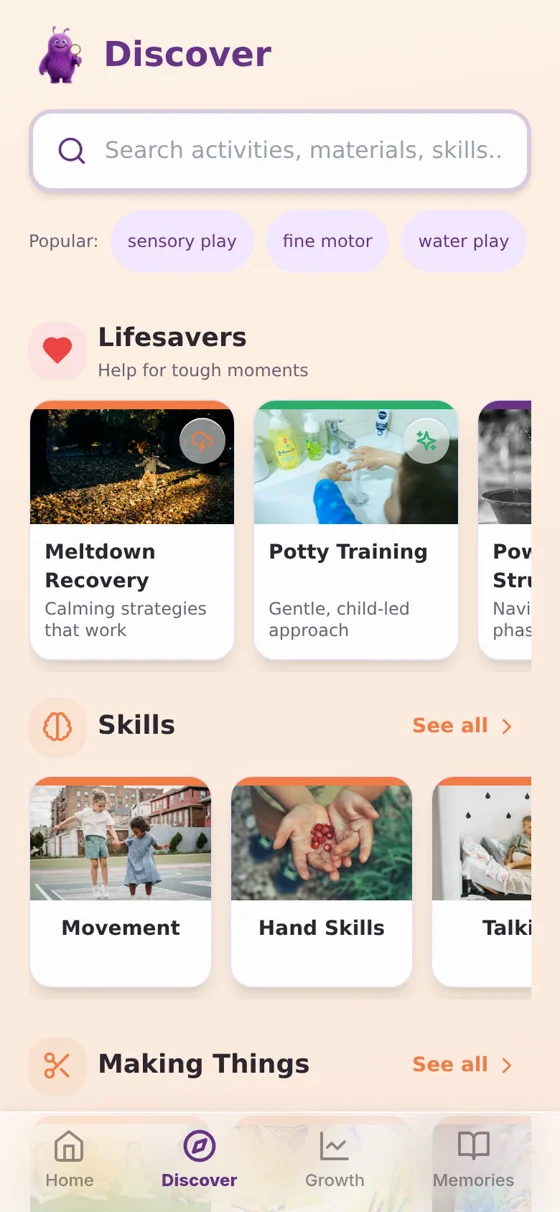
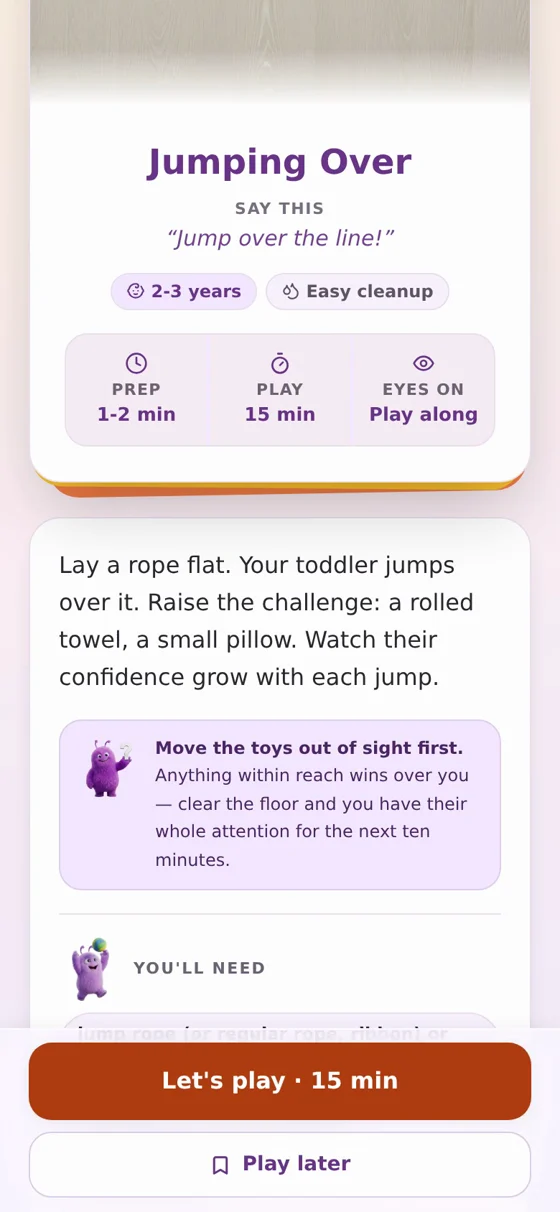
Mooshie Discover screen with Lifesavers for meltdowns and potty trainingMooshie activity screen with Say this words to use
9free ideas on this page
5,918activities for 6 months to 4 years
Say thisthe exact words on every activity
0child details uploaded, ever

A visual schedule for toddlers turns a day full of arguments about what happens next into a day your child can actually see coming. Toddlers do not yet have a strong sense of time. “In a minute” and “after lunch” mean very little to a 2 year old, but a row of pictures they can point to does.

Below you will find a simple way to build one, plus activities from the Mooshie Moments app for children aged 2 to 4 that practise the same skill: getting from one thing to the next without a battle. Everything uses things you already have at home, and each activity comes with the words to say.

What a visual schedule actually is

At its simplest, a visual schedule is a row of pictures showing what happens, in order. It does not need to cover the whole day. Start with 4 to 6 steps for one part of the routine, such as getting ready for bed or leaving the house, rather than trying to map everything at once.

Photos or drawings both work.

A photo of your child’s own toothbrush or their actual coat is often more meaningful than a generic icon, but simple drawings or printed pictures are just as valid, and quicker to make.

Keep the steps concrete.

“Brush teeth”, “put on pyjamas”, “story” are easier to picture than “get ready”.

Laminate it, or slide it into a plastic wallet.

Little hands touch these a lot.

Making a simple first, then board

A “first, then” board is the smallest version of a visual schedule and often the easiest place to start. It only needs two pictures: what is happening now, and what comes after it.

  1. Take or find two pictures, such as “tidy up” and “snack”.
  2. Stick them in order onto a strip of card, left to right.
  3. Point to each one as you say it: “First tidy up, then snack.”
  4. Once the first thing is done, move or flip that picture and say “Done.” Point to the next one.

The words matter as much as the pictures. Saying “first” and “then” in the same order every time helps your child predict what you mean, even before they can read a single word.

Where to put it, and when to use it

Put the board somewhere your child passes often and at their height, such as low on a hallway wall or the fridge door. Bring it out at the moments that usually cause friction: leaving the park, starting bedtime, getting dressed. Point to it before the transition starts, not only once your child is already upset, so it works as a heads-up rather than a distraction from a meltdown already underway.

Activities that practise “first, then”

2 to 310 minutes

1. Transition Timeline

Draw or lay out a short timeline for an upcoming change, such as car seat, car ride, arrival. Point through each step while everyone is calm, then point again once you are actually mid-journey so your child can see where they are in the sequence.

You’ll need: a simple drawn timeline

Say this: “Here is the whole plan, in a line.” · “You found the bit we’re on.” · “Point to the last box if you need to.”
2 to 3

2. Transition Object Use

Let your child choose one small object, a stone, a toy car, a piece of soft fabric, to carry through a hard transition. Their hand holds the object; it becomes a physical anchor that says something stays the same, even while everything else is changing.

You’ll need: one small, special object

2 to 35 minutes

3. Choice Within Change

The change itself is not up for negotiation, but how your child gets there can be. Offer a small choice inside it: “Walk or hop to the car?” or “Red shoes or blue shoes before bed?” This hands back a little control without reopening the whole argument.

You’ll need: nothing

Say this: “Walk to the car, or hop to the car?” · “Good picking, that was your choice.”
2 to 310 minutes

4. Goodbye Ritual Creation

Before leaving anywhere, build a short goodbye ritual together: high-five the slide, wave at the gate, pat the car. It gives your child a moment of closure they control, so leaving becomes a signal rather than a surprise.

You’ll need: nothing

2 to 315 minutes

5. Surprise Practice

During a calm moment, practise a tiny positive surprise: a hidden toy, a silly voice, a new route home. This is not about the big changes, it is about showing your child that change can sometimes bring something good, not only something unsettling.

You’ll need: a small, calm surprise

Hundreds more ideas like these are waiting in the app.

Plus one picked for your child every day, matched to their age and how today is going.

2 to 310 minutes

6. Transition Song

Pick one short, simple song for a routine that happens every day, such as “First we eat, then we get dressed, then we go.” Sing it at the same point each time, including during the actual transition. Over time the tune itself becomes a cue to switch gears.

You’ll need: nothing

2 to 3

7. Big Change Preparation

Ahead of something bigger, moving house, starting nursery, a new baby, walk through what will happen little and often over several weeks: photos of the new place, a video visit, meeting a new teacher in advance. Hearing it repeated lets your child’s nervous system get used to the idea before the day itself.

You’ll need: photos, or a video call, depending on the change

2 to 315 minutes

8. Change Detective Game

Rearrange two or three items in a room your child knows well, then say “Look for what changed!” Let them spot it and feel clever for noticing. Small, safe changes they can solve build up tolerance for the bigger changes they cannot control.

You’ll need: a few household objects

3 to 415 minutes

9. Pick Your Way

Offer genuine choices rather than instructions during a routine: “Cereal or toast?”, “Long pyjamas or short?” Once your child picks, hand it over completely, no correcting, no narrating. Whatever they do with it stands, backwards jumper and all.

You’ll need: two real options

Say this: “Pick one.” · “You picked and you did it.” · “You’re in charge.”

Copy this: a morning and bedtime template

Morning (5 steps): Wake up → Get dressed → Breakfast → Brush teeth → Shoes on.

Bedtime (5 steps): Bath → Pyjamas → Brush teeth → Two books → Lights off.

Turn either list into pictures, in that order, and talk your child through it the same way every day. If a step keeps causing a fight, it is worth checking our full toddler bedtime routine for more detail on the evening version.

LOVED BY FAMILIES

Parents and experts on Mooshie

“I used to spend 30 minutes looking for an activity on Pinterest, get overwhelmed, and just turn on the TV. Mooshie takes 5 seconds.”
Sarah J.Mum of a 2-year-old
“Finally, an app that tells me to put my phone away. The activities are actually doable with stuff I have in my junk drawer.”
Mark D.Dad of two
“As a pediatric OT, I love that these activities build core developmental skills without feeling like ‘homework’ for parents.”
Dr Emily R.Paediatric occupational therapist
Mooshie Discover screen with Lifesavers for meltdowns and potty training
HOW MOOSHIE HELPS

How Mooshie helps with routine and transitions

Mooshie Moments will not build the physical board for you, but it does support the same underlying idea: predictability calms toddlers down.

  • The app picks one activity a day for your child’s age and stage, so play itself becomes a small, reliable routine rather than another decision to make.
  • Every activity lists prep, play and “eyes on” time, so you know exactly what is coming and how long it will take, the same predictability a visual schedule offers your child.
  • You can add additional needs, including autism, and the app will favour calmer, more structured activities and surface relevant tips.
  • Your child’s details stay on your phone and are never uploaded, whatever you choose to add.

It is free to download, with one new activity a day at no cost and no account needed.

Questions parents ask

What age can a toddler use a visual schedule?

Many families start around 18 months to 2 years with a simple first/then board, moving to a longer schedule by age 3 or 4 as understanding grows. There is no wrong age to try one.

How many steps should a first schedule have?

Keep it to 4 to 6 steps for a single routine, such as bedtime, rather than trying to cover the whole day at once. You can always add more once your child is used to the idea.

Should I use photos or drawings?

Either works. Photos of your child’s own things can feel more meaningful, but simple drawings or printed icons are just as effective and much quicker to put together.

Are visual schedules only for autistic children?

No. They were popularised in autism support because predictability helps so many autistic children, but plenty of neurotypical toddlers find them useful too, especially around transitions.

What if my toddler ignores the schedule?

Keep using it calmly and consistently rather than dropping it. It often takes a couple of weeks of pointing to it at every transition before your child starts referring to it themselves.

Mooshie is a play app, not medical advice. If you’re worried about your child’s development, speak to your health visitor or GP.

Make memories. Build skills. Play together.

Your first moment is ready as soon as you tell us their age.

Mooshie MomentsFree on iPhone
Get it free